LinguaScore web app: test of every feature on the live server
We opened the LinguaScore web app on the AI grading server and tried each feature once, with the real AI models. Most features work. Voice grading works, but long recordings fail. This page shows what passed, what is broken, and what was not tested.
Status as of 21 Nov 2026
- Result
- 12 of 15 checks passed. 2 passed with defects (AI Tutor, Ranks). 1 failed (audio larger than 1 MB). 12 problems are listed below. None of them was fixed in this test.
- Where
- The live server at rsa-ai.duckdns.org. It runs the version that was deployed on 18 Nov 2026 from PR #2 (merged).
- Ticket
- SP-904, in Testing.
- Screenshots
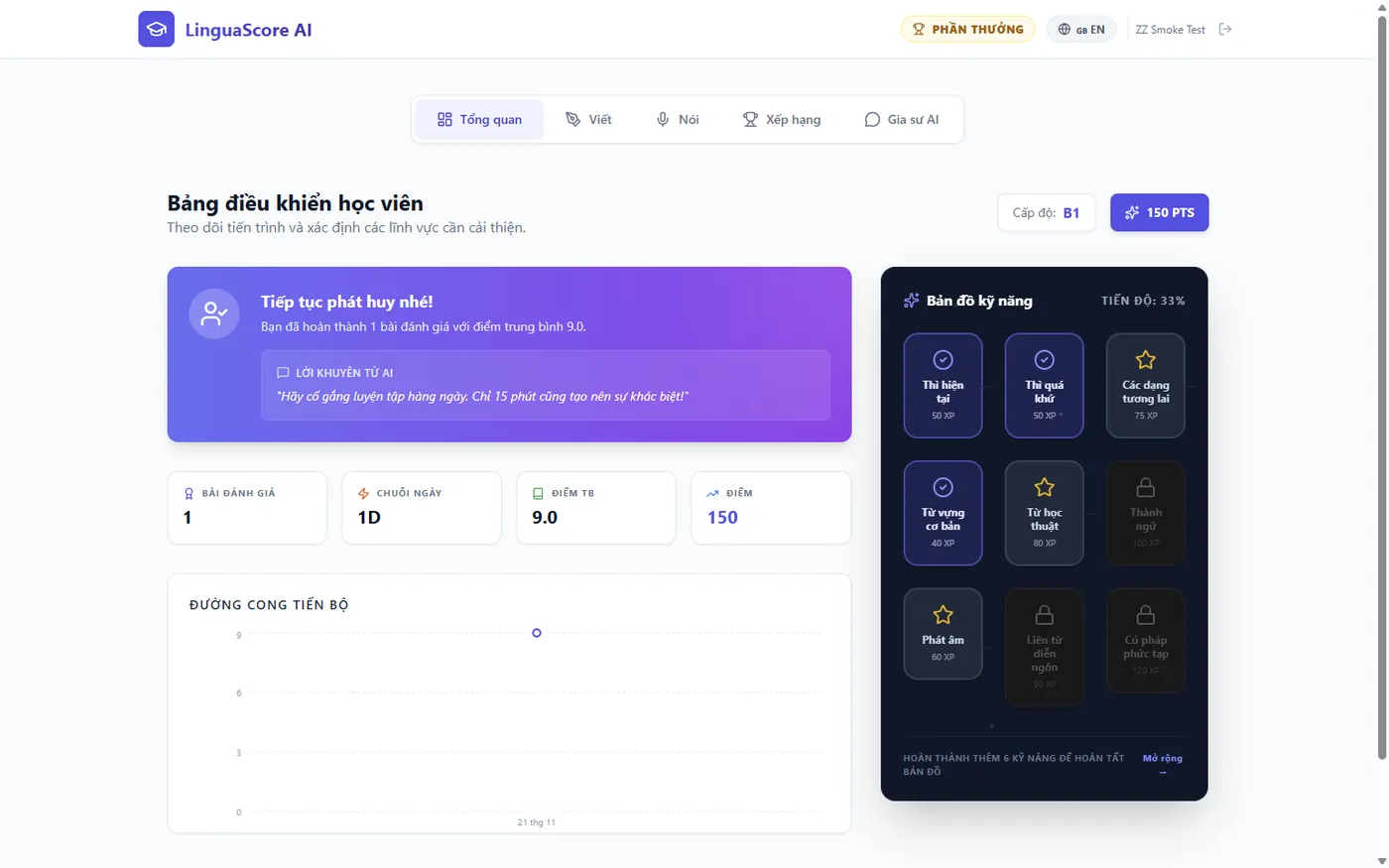
- All screenshots come from the live server with its real data. Learner names in the leaderboard were replaced with "Learner 1", "Learner 2" and so on before the capture. The test essays, the test voice and the "ZZ" items are ours.
Why this test exists
The AI grading server does two jobs. It grades essays for the LMS, and it also hosts LinguaScore, a small web app where learners practise IELTS and TOEIC writing and speaking. The new automatic deploy replaced the old server setup on 18 Nov 2026. We had tested the essay grading for the LMS, but nobody had opened the LinguaScore app after login. This test closes that gap, with a special look at voice grading.
How the test ran
Back up
A copy of the database was saved on the server before any test.
Use the app
Each screen was used in a browser, as the admin and as a new learner account.
Check the server
Each action was compared with the server log and the saved data.
Clean up
The test account, test type and test exercise were switched off.
About the test voice. The computer cannot speak into a microphone. We made a 35 second English talk with a text-to-speech voice. For "Upload" we gave the app that file. For "Record" we fed the same sound into the app in place of a microphone, so the app recorded it in the normal way. A real person with a real microphone was not tested.
Results at a glance
| Feature | What we did | Result |
|---|---|---|
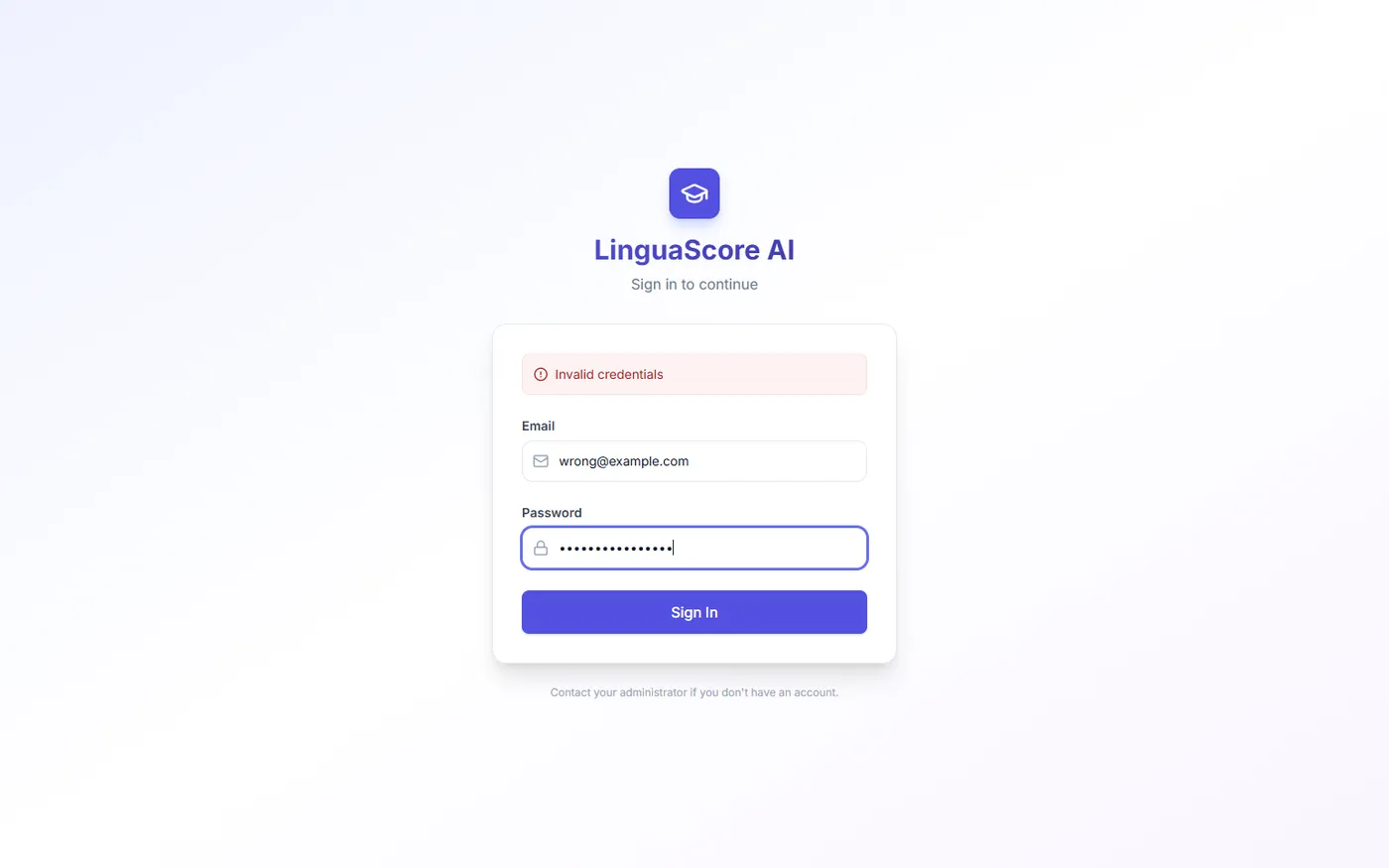
| Sign in, wrong password | Typed a wrong email and password. | Pass. "Invalid credentials" is shown. |
| Sign in and sign out | Signed in as admin and as a new learner. Signed out. | Pass. |
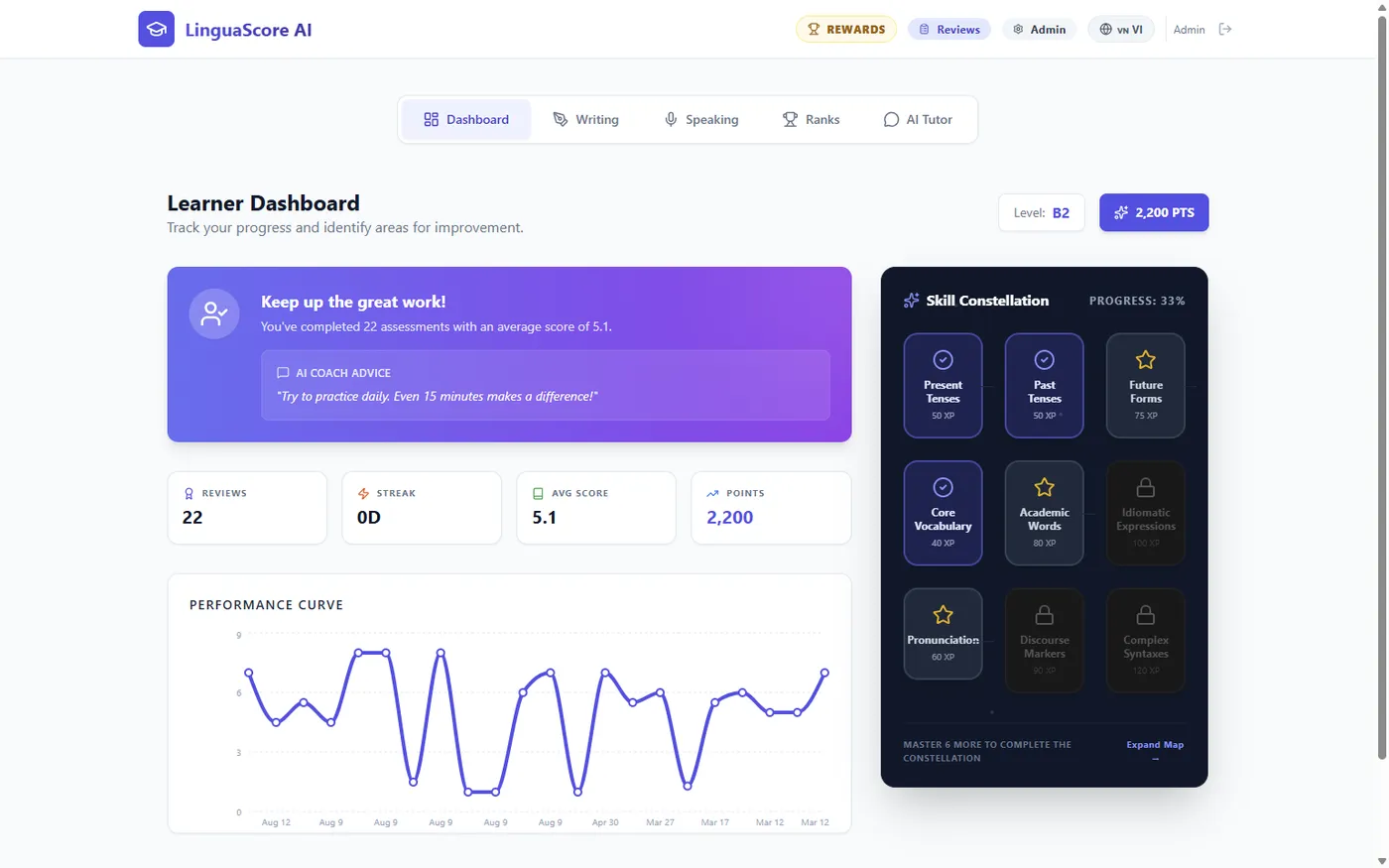
| Dashboard | Opened it as admin and as the new learner. | Pass. Numbers and chart load. |
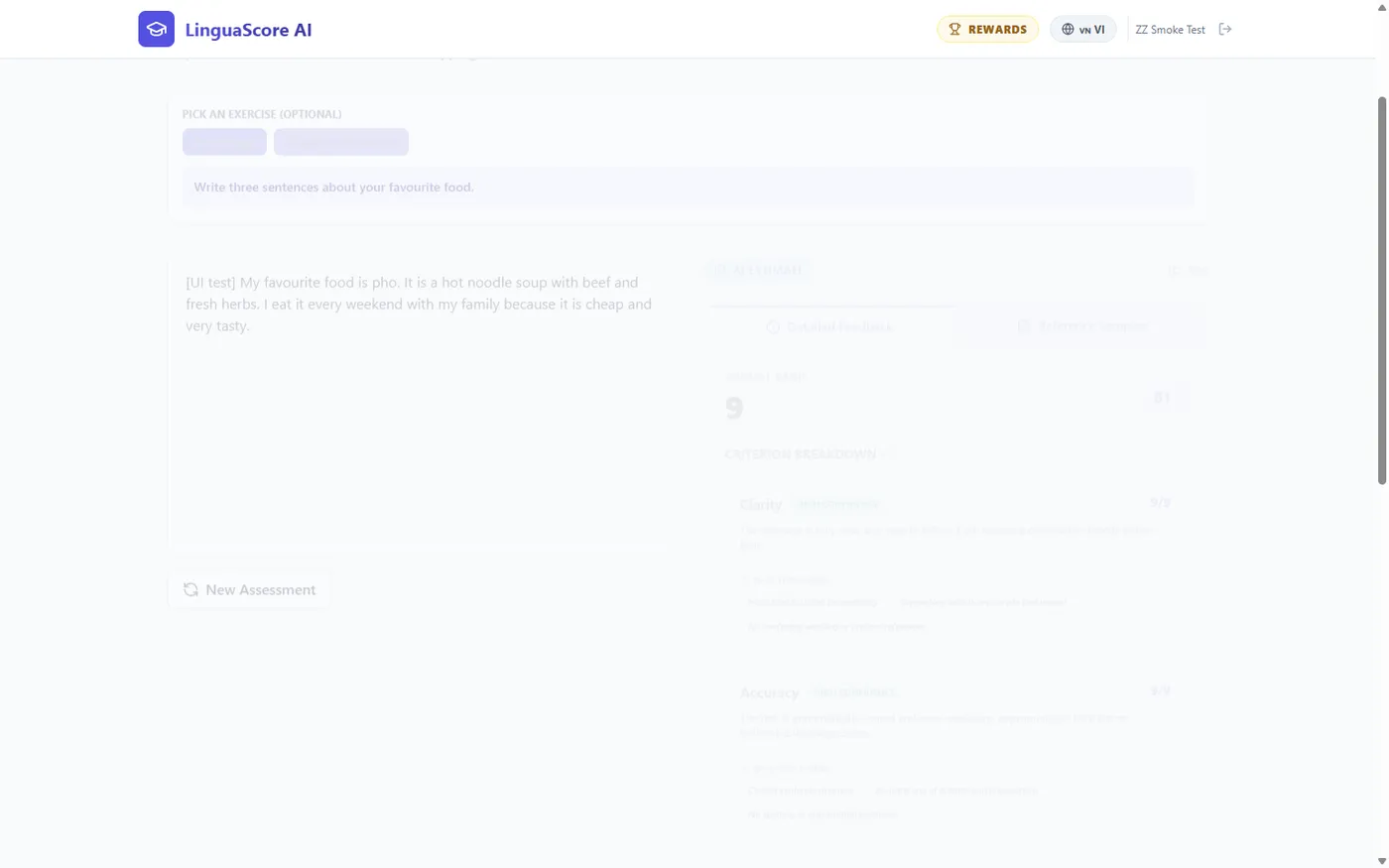
| Writing, IELTS | Sent an essay of about 150 words. | Pass. Band 7.5, level B2, in 10 seconds. |
| Writing, own rubric and assigned exercise | Made a rubric and an exercise, assigned it, and sent an answer as the learner. | Pass. Graded in 7 seconds. The assignment changed to completed. |
| Speaking, upload under 1 MB | Uploaded the 35 second voice file (0.77 MB). | Pass. Band 6, level B2, in 9 seconds. The transcript matches the talk. |
| Speaking, record | Recorded the 35 second talk in the app. | Pass. Band 6.5, level B2, in 8 seconds. |
| Speaking, audio over 1 MB | Uploaded the same talk at higher quality (1.5 MB). | Fail. The server refuses it. The app only says "Request failed". |
| Ask for human review | Clicked "Request Human Review" on a speaking result. | Pass. It appeared in the review queue. |
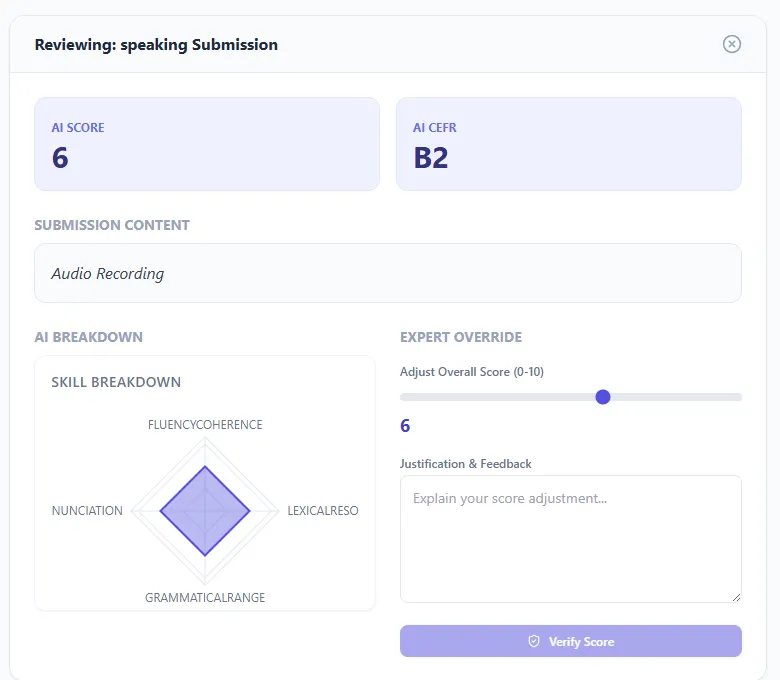
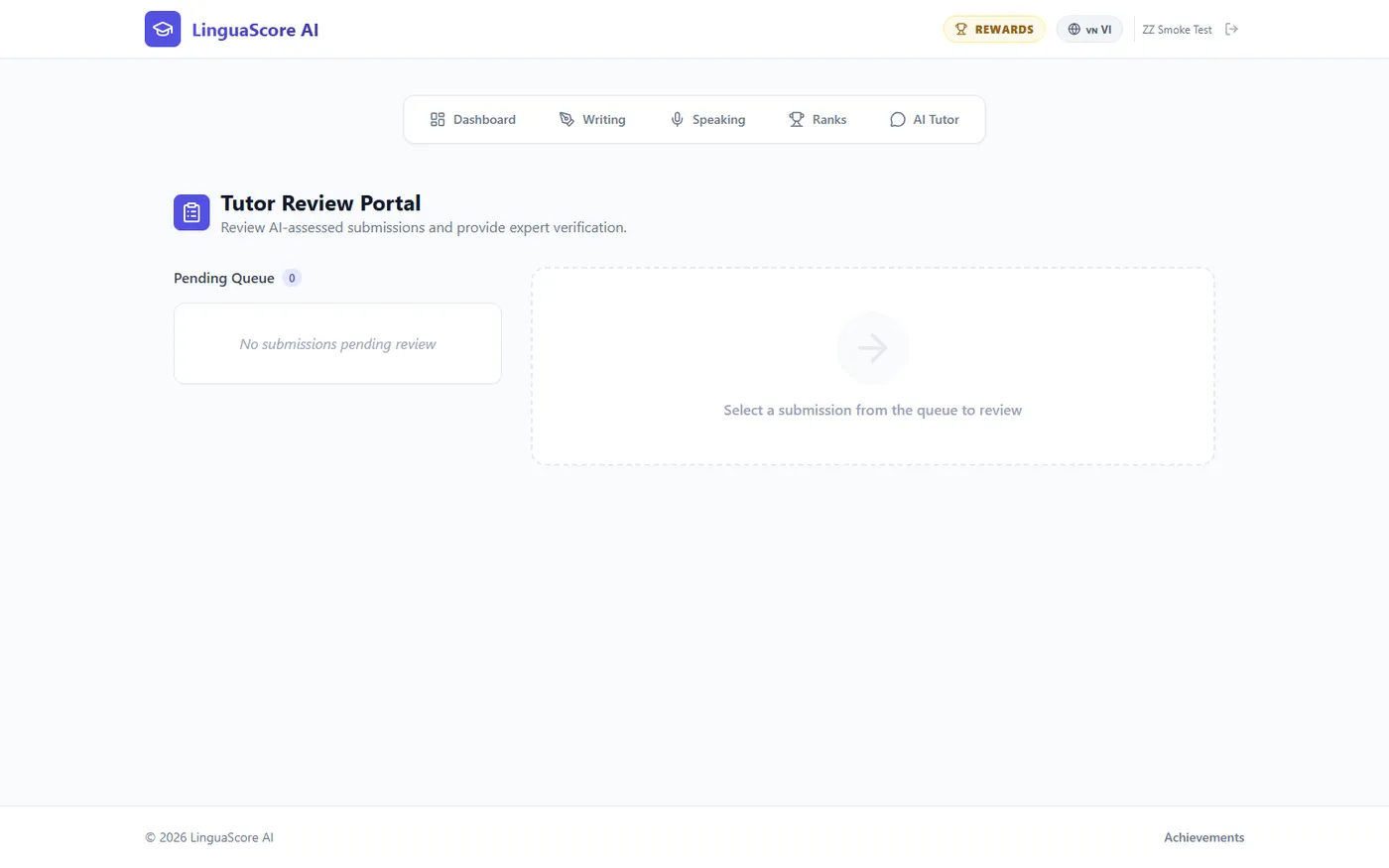
| Tutor review portal | Opened the item, changed the score from 6 to 6.5, clicked "Verify Score". | Pass. The item left the queue and is saved as human verified. |
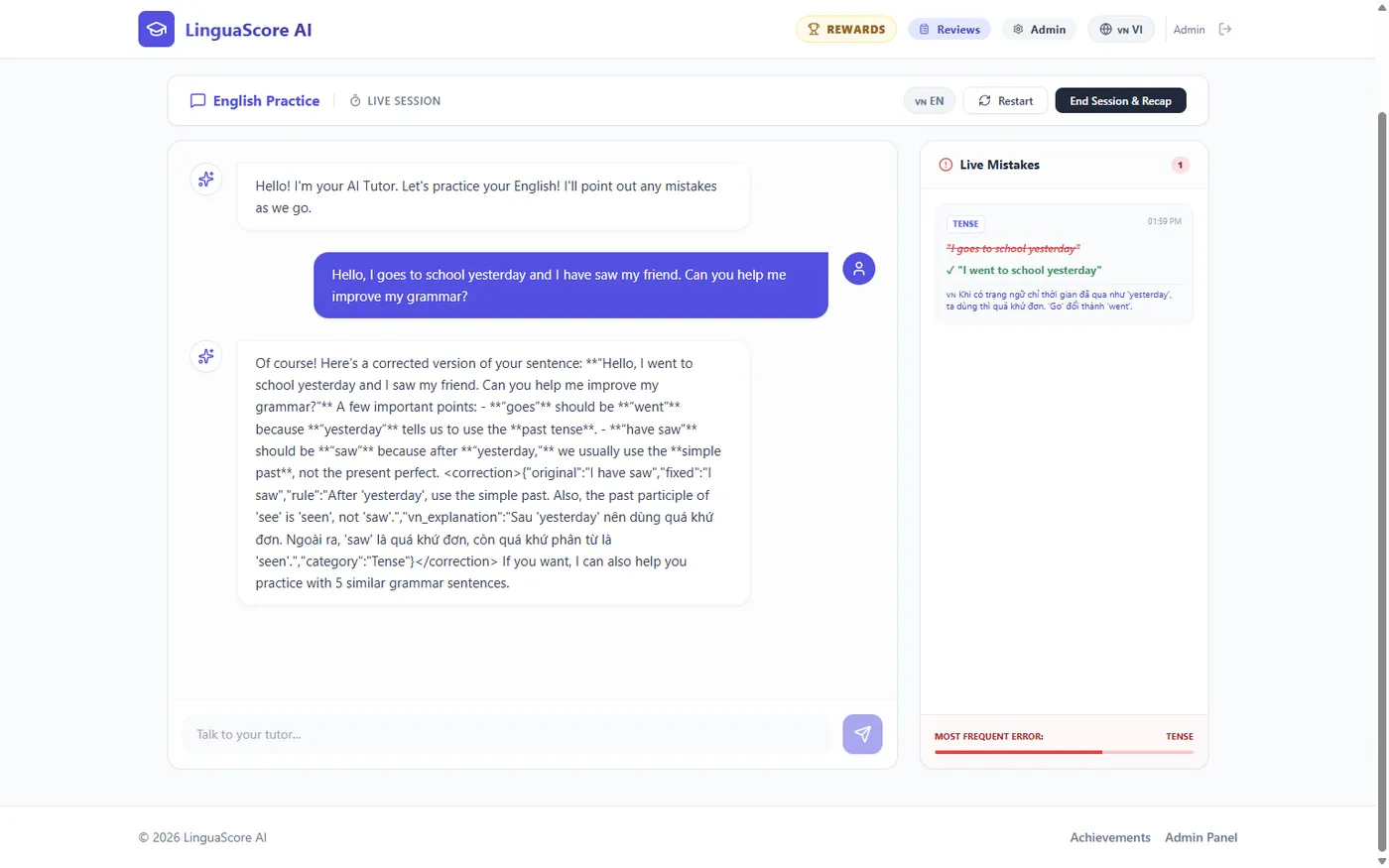
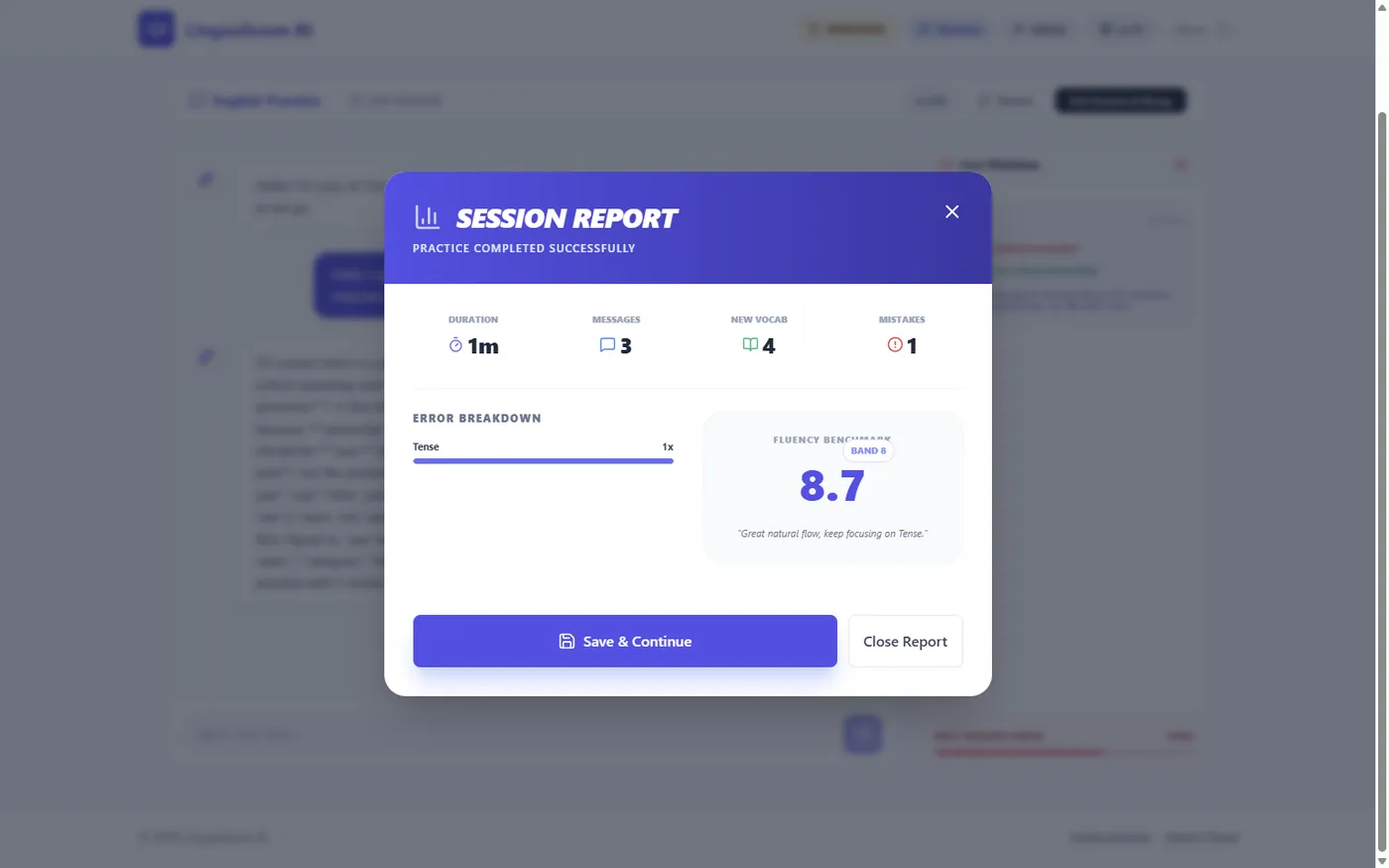
| AI Tutor chat | Sent one message with two grammar mistakes, then ended the session. | Pass with defects. The reply came in 5 seconds, but the text shows raw symbols. |
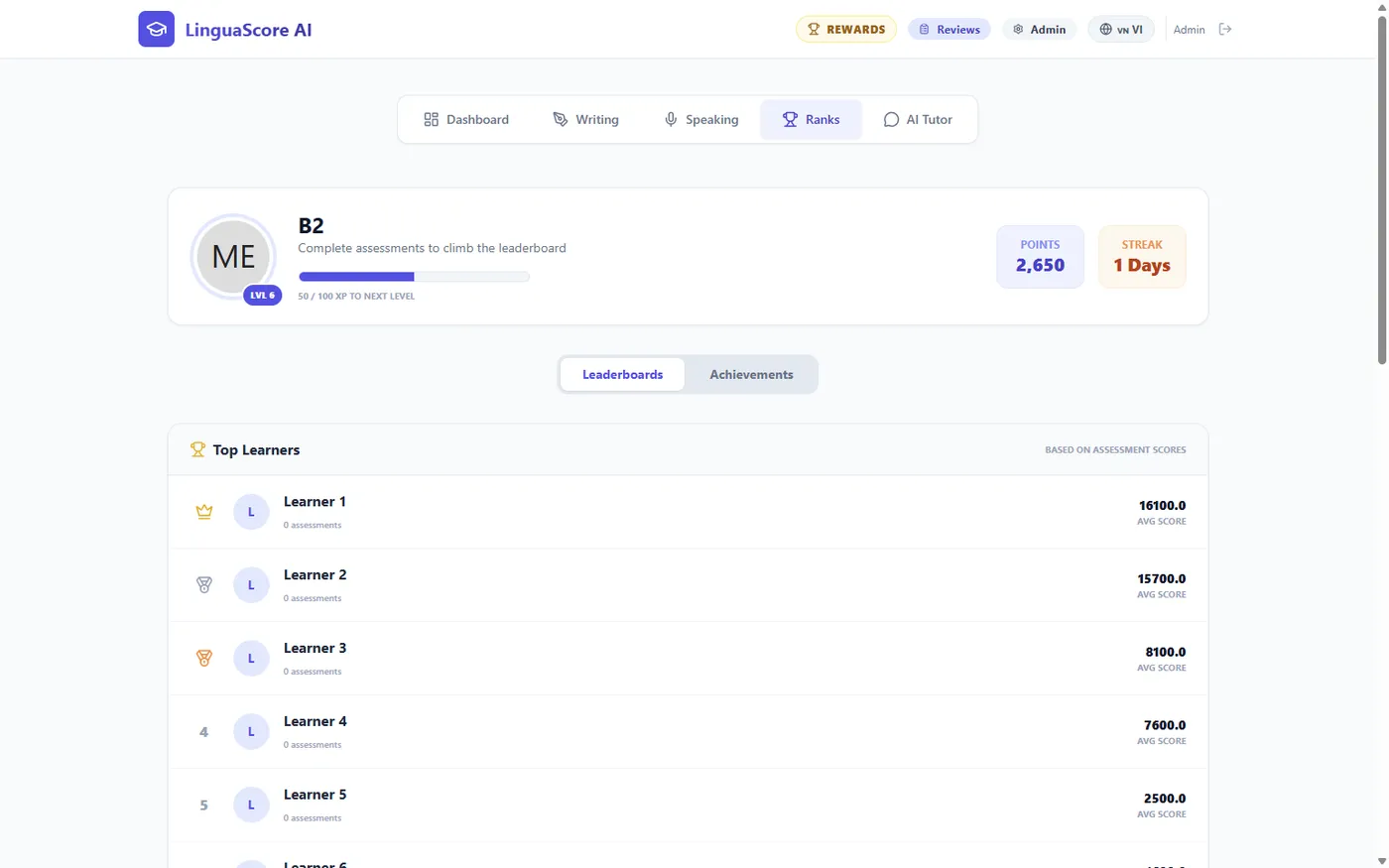
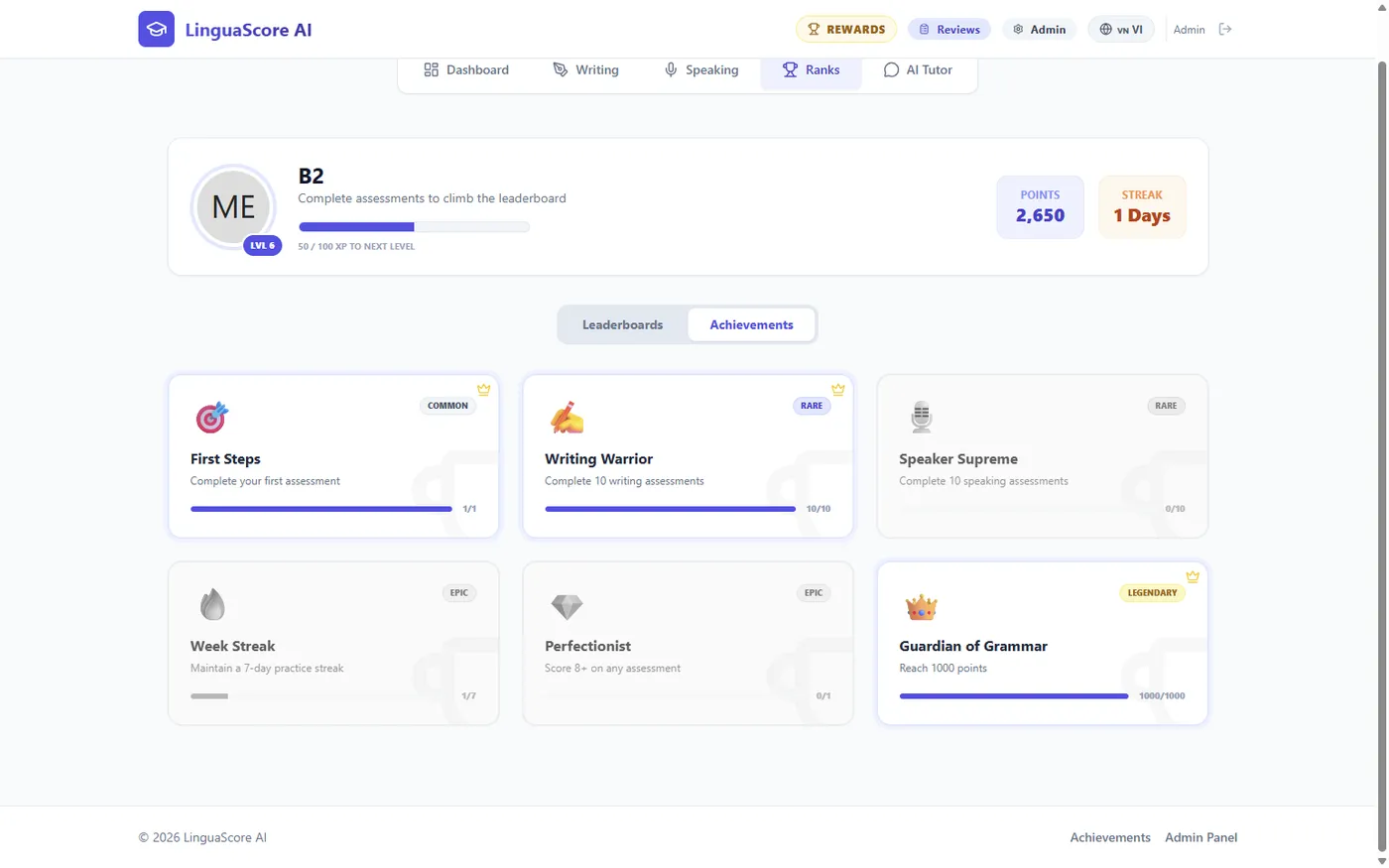
| Ranks and achievements | Opened both tabs. | Pass with defects. The lists load, but some labels are wrong. |
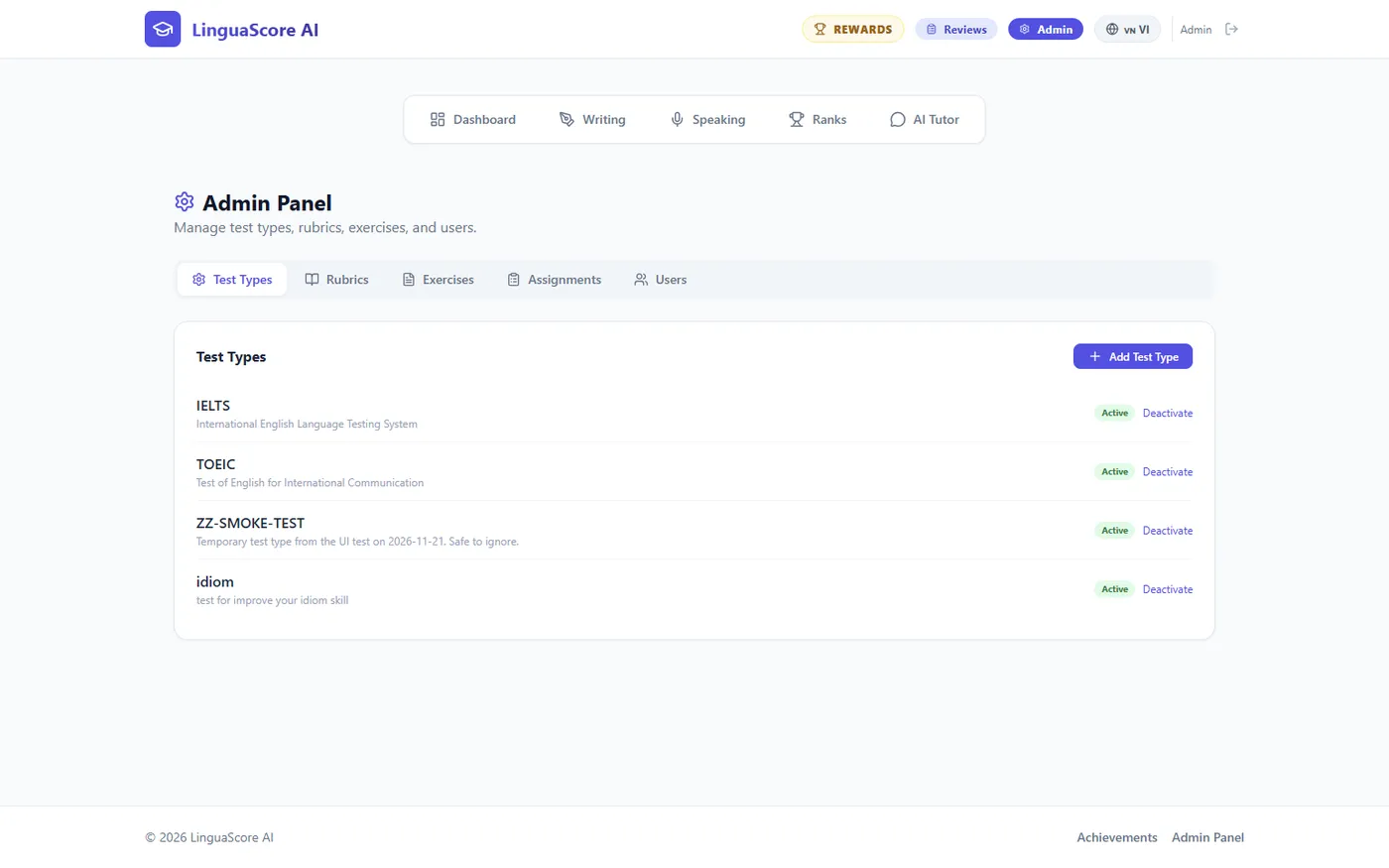
| Admin panel | Made a test type, a rubric, an exercise, a user and an assignment. Switched them off again. | Pass. |
| Access rules | As the learner, asked the server for admin and review data. Signed in with the switched-off account. | Pass. The server refused every request. |
| Language switch and expired sign-in | Switched to Vietnamese. Broke the saved sign-in on purpose. | Pass. Text changes to Vietnamese. A broken sign-in returns to the login page. |
Voice grading
-
Record
The learner clicks the round button and talks. The app shows "Listening...".
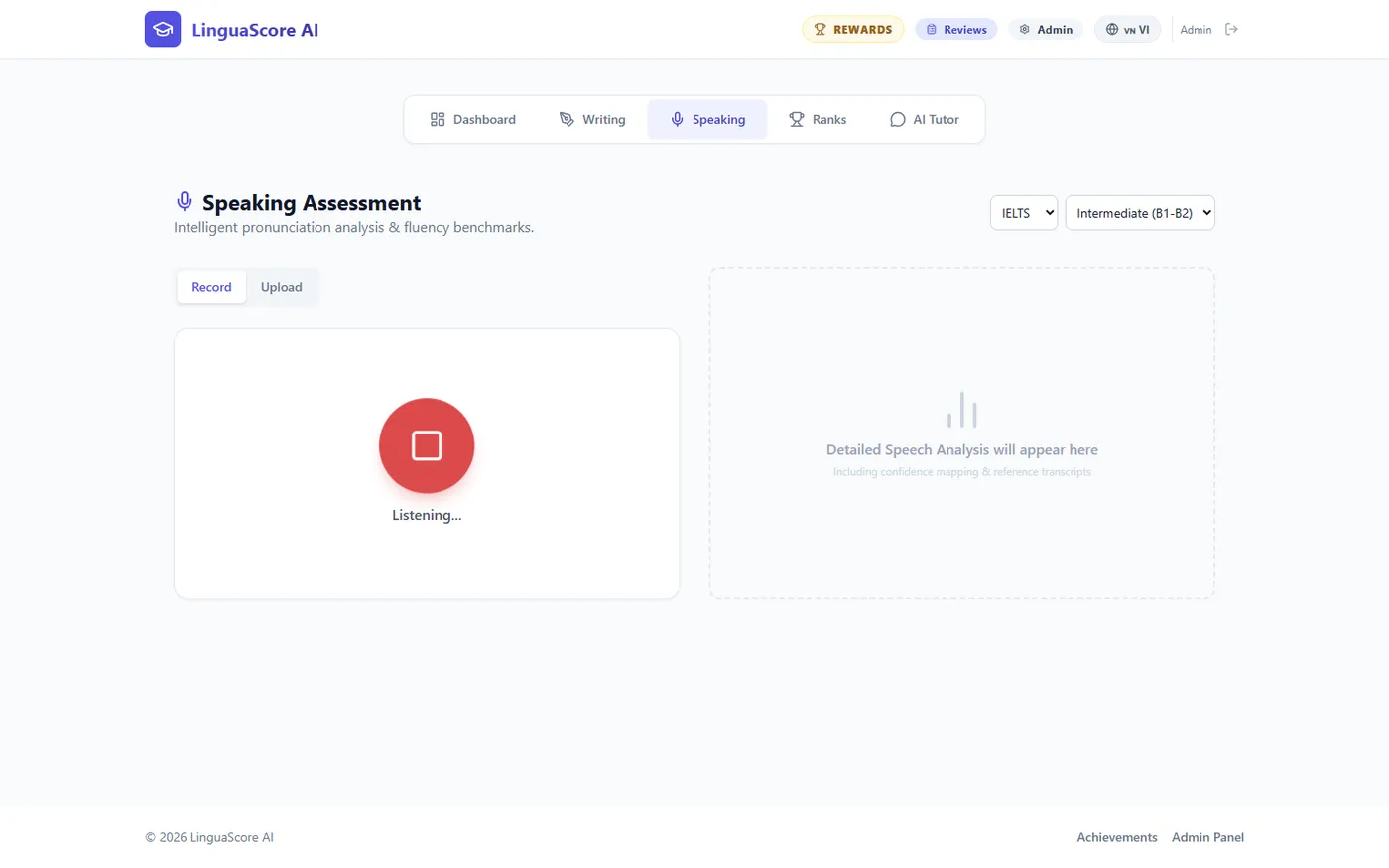
Record mode while the 35 second talk plays into the app. -
Result
The learner clicks "Analyze Speech". The result came back in 8 seconds.
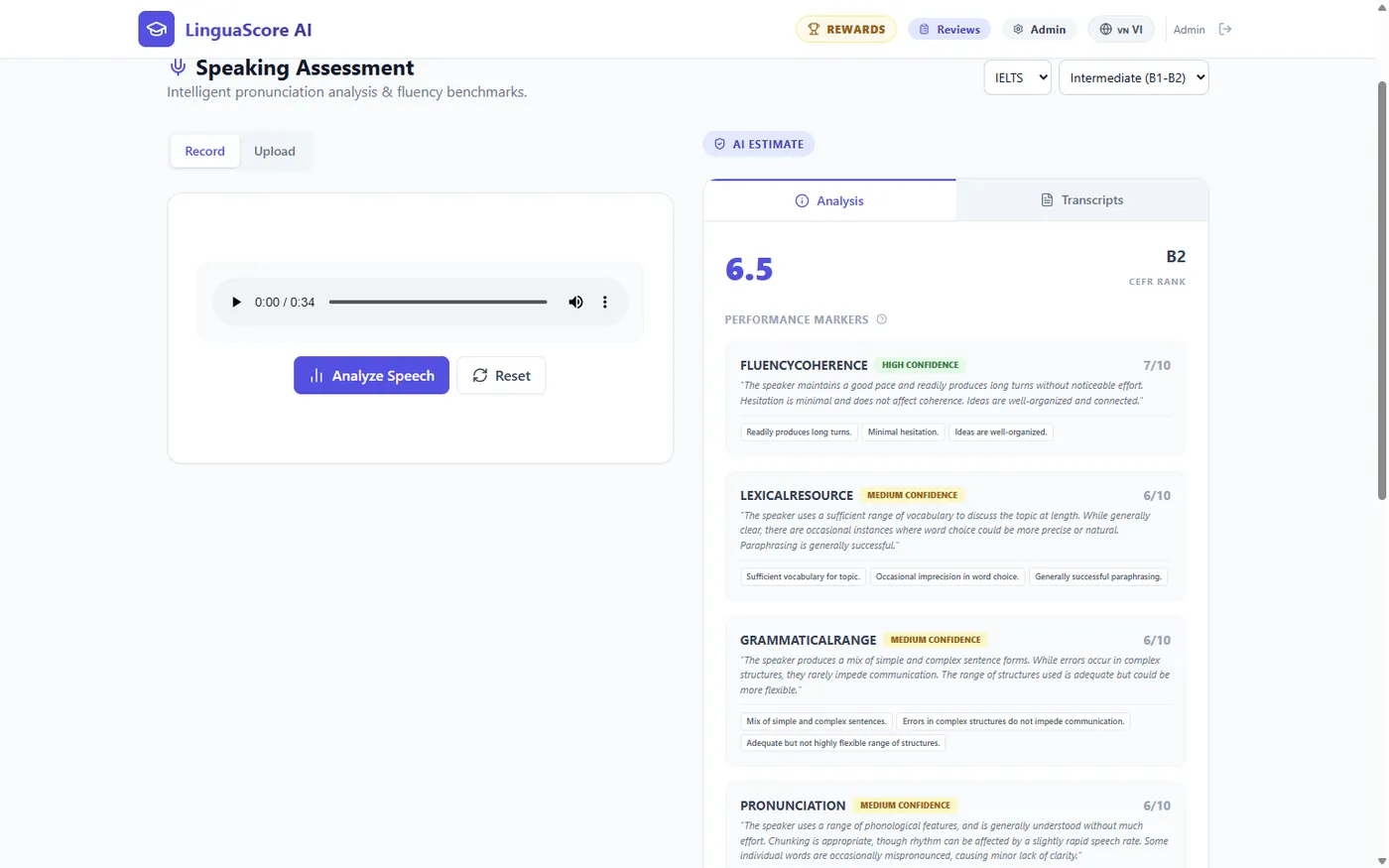
Overall 6.5, level B2. Four criteria: fluency 7, vocabulary 6, grammar 6, pronunciation 6. Note that each one is shown "out of 10", but IELTS bands stop at 9. -
Reference answer
The "Transcripts" tab gives a stronger sample answer on the same topic.
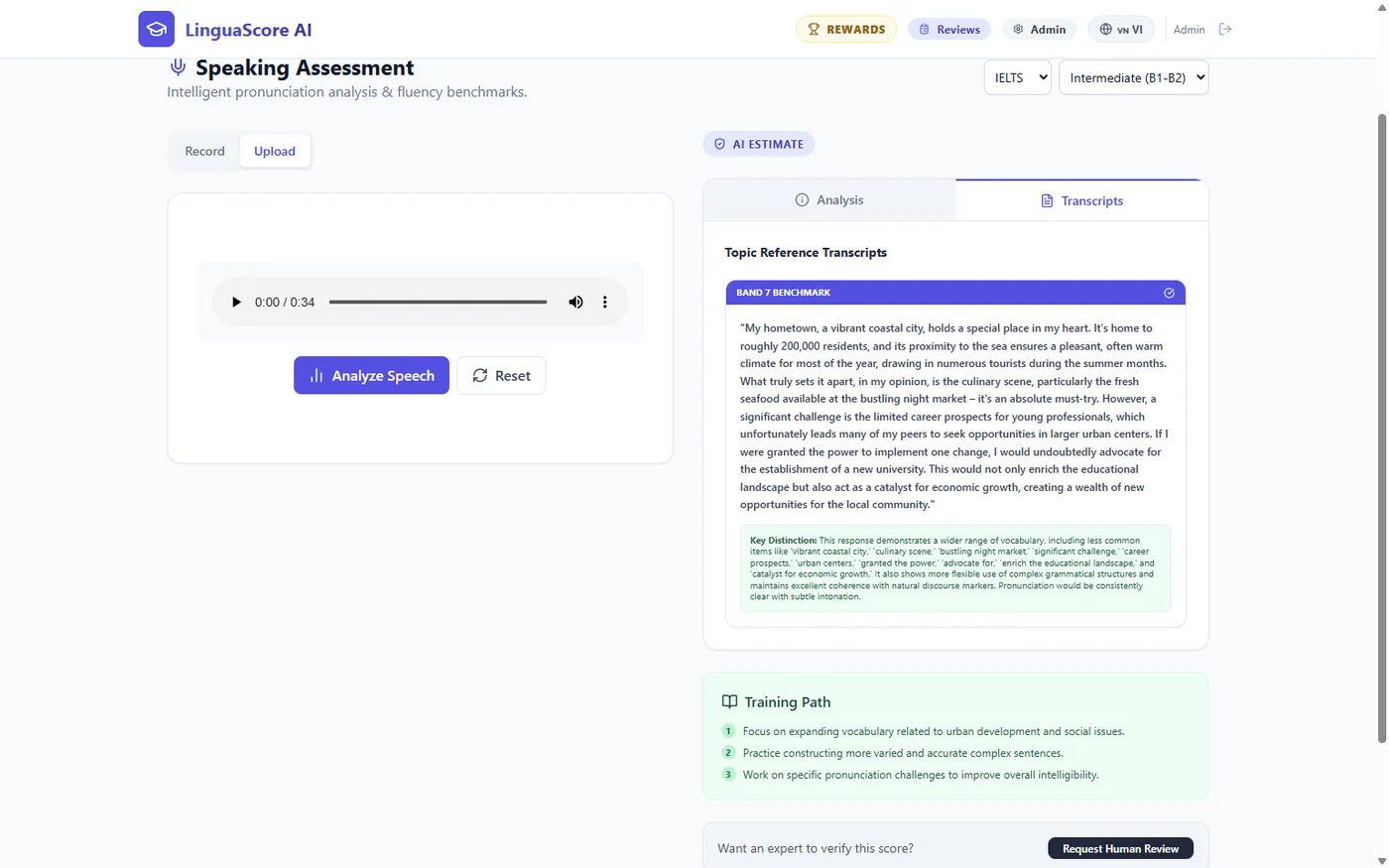
The Band 7 sample is about the same hometown topic as our talk, so the model understood the audio.
Checked by hand. We also sent the voice file straight to the server, without the app. The answer contained the transcript. It matches our talk word for word, except that "two hundred thousand" was written as "200,000".
The same talk was graded three times. The scores were 6.5, 6 and 6.5. A difference of half a band between runs is normal for this kind of model, but a learner can see it.
Writing
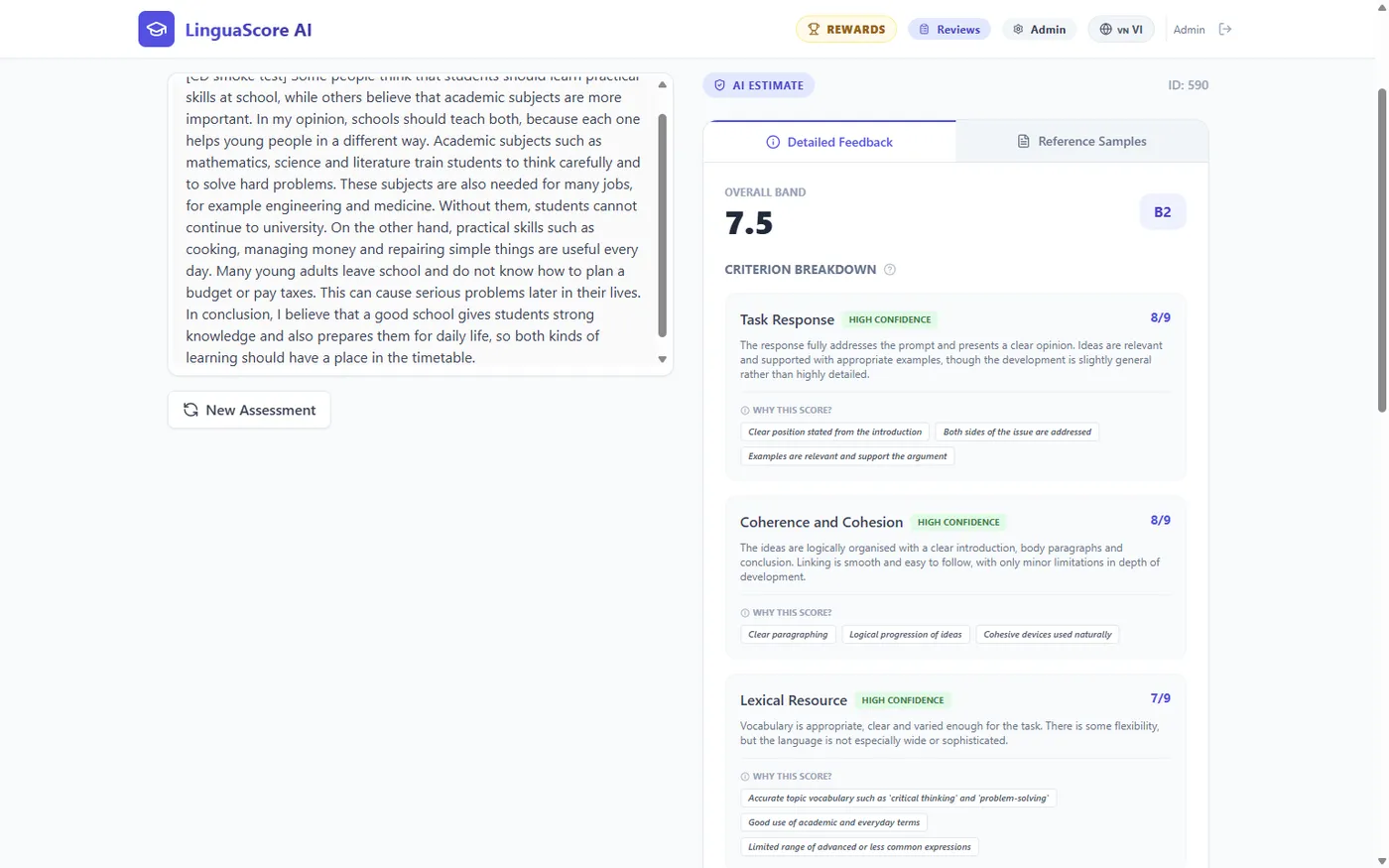
AI Tutor
Review by a tutor
Other screens
Problems found
Ordered by how much they hurt a learner or a tutor. Nothing here was fixed during the test.
| # | Problem | What happens | Suggested fix |
|---|---|---|---|
| 1 | Audio over 1 MB is refused. | The web server in front of the app accepts at most 1 MB per request. Our 35 second recording was 0.54 MB, so a recording longer than about 65 seconds will fail. An IELTS long turn is 1 to 2 minutes. The learner only sees "Request failed". | Raise the limit on the server (for example to 25 MB) and show a clear message. This is a server setting, not a code change. |
| 2 | A tutor cannot listen to a speaking submission. | The audio is not saved. The review panel shows only the words "Audio Recording" and the AI score. | Save the audio, or at least the transcript, with the result. |
| 3 | Leaderboard labels are wrong. | Every row says "0 assessments". The points are named "AVG SCORE". The title says "based on assessment scores", but the order is by number of assessments. | Make the labels match the data. |
| 4 | AI Tutor replies show raw symbols. | Star symbols and a block of raw correction data appear inside the reply. Only the first mistake reaches the mistakes panel. | Format the reply, and read every correction block. |
| 5 | The tutor "fluency" score is not real. | It is a fixed formula from the number of mistakes. One message with two mistakes gave 8.7, Band 8. | Remove it, rename it, or compute it from the conversation. |
| 6 | Test type "idiom" cannot be graded. | Learners can choose it, but it has no rubric. They get a pop-up: "No writing rubric found for test type 'idiom'". | Add a rubric or switch the test type off. |
| 7 | The page is not reset after sign-out. | A learner who signs in after an admin, without a page reload, lands on the admin's last page. No data leaks, because the server refuses it. | Go back to the dashboard on sign-out. |
| 8 | Score scales do not match IELTS. | Speaking criteria are shown "out of 10" and the tutor's slider goes from 0 to 10. IELTS bands go from 0 to 9. | Use the scale of the chosen test. |
| 9 | Some AI answers do not fit together. | The test rubric gave band 9 with level B1. One writing feedback quoted the words "critical thinking" and "problem-solving", which were not in the essay. | Review the grading instructions with real essays. |
| 10 | "Speaker Supreme" never moves. | The counter for speaking assessments is not connected. It stays at 0 of 10. | Connect it to the number of speaking results. |
| 11 | Nothing can be deleted. | Test types, exercises and users can only be switched off. Our test items stay in the lists. | Accept it, or add delete for items with no results. |
| 12 | The test guide is out of date. | It describes three tutor modes and delete buttons. The app has one tutor mode and no delete. | Update the guide. |
One thing we could not explain. Two times, after an error pop-up, the next "Analyze" click kept turning and no request reached the server. A page reload fixed it each time. This may come from the test browser and not from the app. Please try it once in a normal browser: cause an error, close the pop-up, and submit again.
Not tested
- A real person with a real microphone. The test used a computer voice. Accent, noise and a weak microphone were not tried.
- A recording longer than 35 seconds. From problem 1 we expect it to fail above about 65 seconds, but we did not record one.
- TOEIC. Only IELTS and our own test rubric were graded.
- Editing a rubric and changing a password. We only created items.
- Phones and small screens, and many users at the same time.
What the test left on the server
| Item | State |
|---|---|
| Database backup made before the test | Kept on the server, next to the other backups. |
| 5 test results (2 writing, 3 speaking) | Kept. 4 belong to the admin account, 1 to the test account. The writing ones start with "[CD smoke test]" or "[UI test]". |
| Test account "ZZ Smoke Test" | Switched off. It cannot sign in and is not in the leaderboard. |
| Test type "ZZ-SMOKE-TEST" with one rubric | Switched off. Learners do not see it. |
| Exercise "ZZ smoke test exercise" and its assignment | Switched off. The assignment is completed. |
| One tutor chat record and one review record | Kept. |
| The 4 older items in the review queue | Not touched. |
Next steps
- Decide on problem 1 first. It blocks normal use of voice grading, and the fix is one server setting.
- Ask one person to record a 90 second answer with a real microphone after the fix.
- Decide which of problems 2 to 12 are worth a ticket. LinguaScore had no new result between 25 Aug 2026 and this test, so the answer depends on the plan for the app.
- Keep SP-904 in Testing until the rollback of the automatic deploy is tried once.